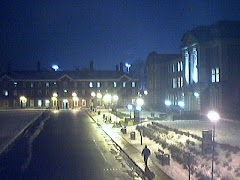
This morning there had been a strange problem: the images were captured, but were all white. This had to do with the automatic camera exposure control, which failed to work. so the image was on "night" setting, with open aperture and full exposure, then hereby overexposing when the sun came out. It should automatically correct, because the auto-exposure setting is on. But I noticed this behavior already earlier some time ago: the exposure control does not always work, when the framerate of the camera itself is set to a low value (10 pic per second). I had to restart the camera, then the problem solved itself.
The other issue had a different cause: It appeared that when loading this blog web page, then in the beginning, there is no image shown. Only after the first refresh the image appeared. The reason for this error had not been apparent; in separate test of the script, the image appeared always the very first time; only in the blog there seemed this issue. The principle of the image display had been that in order to save bandwidth, a temporary image was created on the server, based on the requests for image size. This ensured that when only a small image is requested, for example from a mobile phone, then only the image in the resized form would be transmitted. This works fine - except in the blog when loaded for the first time. It appears that the image file creation takes too long, and the file is not ready when it is supposed to be shown. Still, not yet explainable, as an earlier PHP query for the file shows its size, indicating that it already exists. But for some reason, the <img> tag then is still not able to produce the image. The solution: I abandoned for now the image resizing, and the script is now sending the full image out, independent for the size request. This at least works, and the image is available without delay.
Showing posts with label problem. Show all posts
Showing posts with label problem. Show all posts
Friday, September 23, 2011


Monday, March 15, 2010
Work-around for camera capture problem
I was able to find a work-around for the problem of the camera capture software: After the porting of the software to the "new" computer it sometimes went into a state where the DirectX camera preview just stopped. This did not manifest itself as an error, but instead the software kept running as if nothing had happened - and kept uploading the image that had last been captured ok. Only a restart of the software helped - so I programmed into the software an automatic restart at midnight.
This seems to work - I noticed yesterday that the image had again been frozen; now, however, the image is being updated ok.
Is not an ideal fix - I would like to explore what the true reason for this error is... but at least for now the camera capture works as intended.
This seems to work - I noticed yesterday that the image had again been frozen; now, however, the image is being updated ok.
Is not an ideal fix - I would like to explore what the true reason for this error is... but at least for now the camera capture works as intended.
Tuesday, January 12, 2010
Problem with the Webcam
There appears to be a problem with the webcam system: the communication between the camera and the capture software stops, and no new image is captured. This happened now already for several times in the last few days - the current image, for example, is one from during the day. It appears that the software keeps running and uploading the same file - hence the new image date/time. But the image itself remains the same.
The reason for this could be either the cold which influences the camera itself, or the new PC and its OS environment where the capture software is running. I can now compare this PC with the "old" PC which now runs the Caedmon-Back-Camera. This one also had shown the connection error today during the day, but now appears to run stable. I will check tomorrow.
The reason for this could be either the cold which influences the camera itself, or the new PC and its OS environment where the capture software is running. I can now compare this PC with the "old" PC which now runs the Caedmon-Back-Camera. This one also had shown the connection error today during the day, but now appears to run stable. I will check tomorrow.
Saturday, September 5, 2009
Problems with Opera Browser on Windows Mobile
As I have just found out, the mobile webcam site that I wrote for displaying the webcam image on a mobile phone web browser does not work well on the Opera web browser (ver. 9.5, build 15445) on Windows Mobile 6.1.
With the default display setting "Mobile View" checked, the image is not shown at all. With the "Mobile View" unchecked, the image is shown, but the whole page is reduced to fit on the screen. This is independent of the setting "Automatic full screen".
The reason appears to be that Opera tells JavaScript an incorrect screen size. The screen on my mobile phone is 240 pixels wide, which is correctly reported by Mobile Internet Explorer. But Opera reports 480 pixels wide. This leads to a too large request of the image, which then is squeezed onto the narrow screen, by reducing also the rest of the web site (text from this blog). Therefore, the text becomes unreadable.
Also, in the process of the size reduction, Opera adds white space to the side of the image. hereby not only reducing it by a factor 2 from 480 to 240 pixels, but reducing it even further, although the web page is set up to show the image as 100% of the page width. Works ok in any browser on a regular PC, but Opera here does something wrong.
The mobile webcam site appears to work correctly as intended on MS Mobile Internet Explorer.
With the default display setting "Mobile View" checked, the image is not shown at all. With the "Mobile View" unchecked, the image is shown, but the whole page is reduced to fit on the screen. This is independent of the setting "Automatic full screen".
The reason appears to be that Opera tells JavaScript an incorrect screen size. The screen on my mobile phone is 240 pixels wide, which is correctly reported by Mobile Internet Explorer. But Opera reports 480 pixels wide. This leads to a too large request of the image, which then is squeezed onto the narrow screen, by reducing also the rest of the web site (text from this blog). Therefore, the text becomes unreadable.
Also, in the process of the size reduction, Opera adds white space to the side of the image. hereby not only reducing it by a factor 2 from 480 to 240 pixels, but reducing it even further, although the web page is set up to show the image as 100% of the page width. Works ok in any browser on a regular PC, but Opera here does something wrong.
The mobile webcam site appears to work correctly as intended on MS Mobile Internet Explorer.
Subscribe to:
Posts (Atom)